You can easily update your account information by logging into your GX account and following these steps:
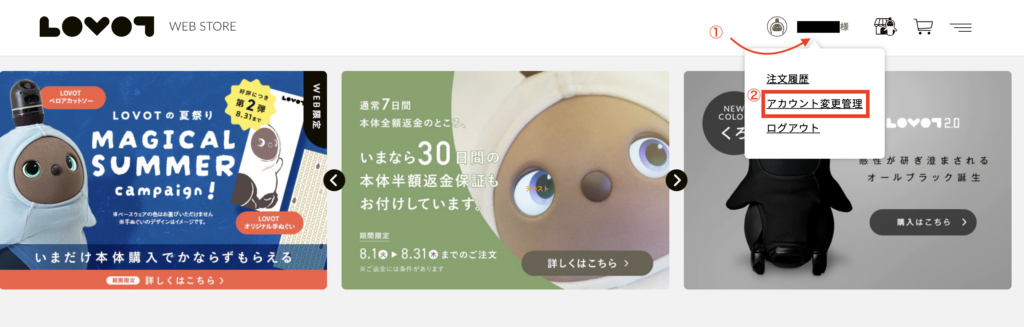
- Click your name in the upper-right corner of the dashboard.
- Select “アカウント変更管理 (Account Change Management in Japanese).”
- You’ll be taken to the Account Information page, where you can update your personal details as needed.
Important: Please do NOT change your registered address.
Your registered address must remain set to VOYAGER JAPAN’s warehouse address. Do not remove or replace this address under any circumstances.
Keeping this address unchanged is essential to ensure that your LOVOT package is delivered correctly and that we can continue to provide our forwarding service without interruption.